

WomenWorking.com is committed to supporting women to live fully, giving them tools, tips, and inspiration to move through challenges in every aspect of their lives.
Mission Statement

About Helene
Helene Lerner, CEO, Creative Expansions, Inc. Founder, WomenWorking.com
For more than two decades, Helene has been addressing the concerns of contemporary women. As a prolific author, independent public television host, Emmy Award-winning executive producer and Fortune 500 workplace consultant, she covers a wide array of women’s issues—from breaking barriers and work-life balance, to health and wellness, to relationships and building self-esteem. Under the umbrella of Creative Expansions, Inc. the company she founded in 1994, Lerner has produced more than 20 televised specials and received American Public Television’s (APT) “MVP” award for her outstanding contributions to public television. She is also the author of 13 books including The Confidence Myth: Why Women Undervalue Their Skills and How to Get Over It, Time for Me: Simple Pleasures for Women who do too Much, Smart Women Take Risks: 6 Steps for Conquering Your Fears and Making the Leap to Success, and What Makes a Strong Woman?
Helene began her work life as a teacher in the New York City public school system. Using her natural business instincts, she later pursued a career in sales and marketing during the 1980s, working her way up through the ranks of The New York Times. Early in her career, Lerner also successfully fought a significant weight problem that transformed her life both professionally and personally and fueled a passion to empower other women.
She launched her own company to independently develop media with the common denominator of providing women with what she once lacked: the support and information needed to overcome obstacles and make the most of their lives.
In addition to her collection of books and television specials, Helene maintains a private practice coaching individuals and groups on tools to increase their power.
She also advises corporations on leadership and diversity issues, spearheads panels, and delivers keynotes on a variety of related topics. A member of Phi Beta Kappa, Lerner holds an MBA from Pace College and a Masters of Education from City College in New York City where she currently resides.
Books
The Confidence Myth
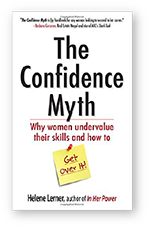
Not only do we need more female leaders at the top, but we need more women at all levels of business, government, and nonprofits to step up—there’s no time to waste. The problem, says Helene Lerner, isn’t so much that women lack confidence but that they misunderstand what confidence really is.
In Her Power
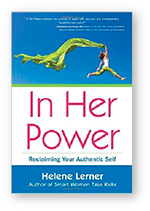
Unveil your inner power to achieve confidence, creativity, and intimacy in every aspect of your life—from work to relationships to sex. Helene Lerner reveals the nine most common self-sabotaging behaviors that hold women back and uncovers simple secrets to unlocking true feminine power.
Time for Me

For women who are out in the trenches every day trying to do too much, this book offers simple pleasures to nourish your spirit and simple solutions to find time for yourself. Summon the courage to do things differently. It’s your life and it only happens once, why not make it a great one?
Webinars
The Secret to
Real Confidence
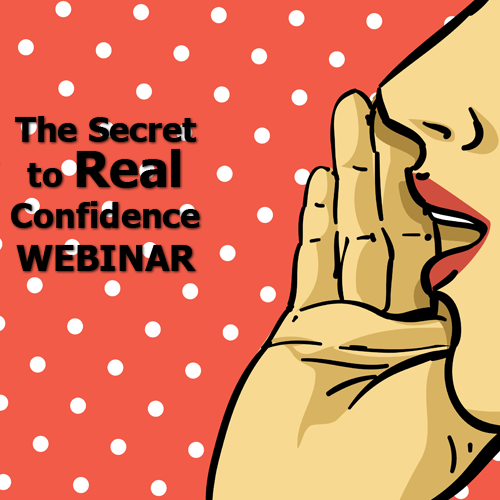
This six-part webinar offers information from Helene’s popular book, The Confidence Myth: Why Women Undervalue their Skills and How to Get Over It. The webinar will help you step up boldly, deal with difficult people, trust your intuition, and more.
In Her
Power
This seven-part webinar, based on Helene’s popular book In Her Power: Reclaiming Your Authentic Self offers ground-breaking techniques that have helped thousands of women learn to speak up, take smart risks, use their talents to make a difference, and more.
Speaking Engagements
Topics
Women and Confidence
Harness Your Power During Change
Executive Presence
The High Cost of Playing It Safe
Smart Risk Taking
Strategies for Success
Power Networking
Having it All: What is Really Possible?
Mentoring: A Mutual Exchange Among Partners
Helene’s Awards
Bold Visions: Women in Science & Technology
2009 Winner, Gracie Award
2009 Emmy nomination
Best Friends: The Power of Sisterhood
2007 Winner, Gracie Award
Pure Magic: The Mother-Daughter Bond
2005 Winner, Gracie Award
Proud to Be a Girl
2004 Winner, Emmy Award
Grab Hold of The Reins: Women in Cancer
2003 Winner, Gracie Award
Blazes of Light: Women Living with HIV/AIDS
2000 Winner, Gracie Award
Out of the Darkness: Women and Depression
1999 Winner, Emmy Award
1999 Winner, Gracie Award
Osteoporosis: Breaking the Fall
1999 Finalist in Time Warner’s International Health and Medical Film Competition
Osteoporosis: Your Bones, Your Life
1997 Winner, National Media OWL Award
Alzheimer’s Disease: Descent into Silence
1997 Finalist in AMA’s International Health and Medical Film Competition
Heart Disease: A Woman’s Story
1997 Emmy nomination
1997 Winner, Gracie Award
Treating Breast Cancer: A Woman’s Choice
1994 Emmy nomination

Trending
9 Causes of Vaginal Bumps, According to ExpertsBumps on your vaginal area can be alarming for anyone. Immediately, our minds jump to the scariest scenario. But…